Jump to Content
Quidax Developer APIHome
GuidesAPI Reference
HomeJoin CommunitySchedule DemoGet API KeysQuidax Developer API
Guides
Join CommunitySchedule DemoGet API Keys
GuidesAPI Reference

DOCUMENTATION

  • Introduction
  • Getting Started
  • Getting your developer key.
  • Setting up webhook.
  • Security
  • Supported cryptocurrencies
  • Errors
  • Pagination
  • Order Precision

WEBHOOK EVENTS 🪝.

  • Introduction
  • Wallet Updated
  • Wallet Address Generated
  • Deposit Transaction Confirmation
  • Deposit Successful
  • Deposit On Hold
  • Deposit Failed AML
  • Deposit Rejected
  • Withdraw Successful
  • Withdraw Rejected
  • Order Done
  • Order Cancelled
  • Swap Transaction Completed
  • Swap Transaction Reversed
  • Swap Transaction Failed

GUIDES

  • Overview
  • How to send crypto.
  • How to generate a wallet address

SHOWCASE APPS

  • Open source apps.

TRANSACTION STATUS

  • Withdrawal status
  • Order status

TECHNICAL SUPPORT

  • Technical support and onboarding

Developer Tools

  • API Changelog 🔊

Community

  • Quidax Community Guidelines

RAMP

  • Welcome to Ramp by Quidax
  • Demo
  • Ramp Widget
  • Supported Crypto Assets
  • Supported Fiat Currency

RAMP WEBHOOKS

  • Introduction
  • Sell Transaction Successful
  • Sell Transaction Processing
  • Sell Transaction Failed
  • Buy Transaction Successful
  • Buy Transaction Processing
  • Buy Transaction Failed
Powered by 

Getting your developer key.

Follow the steps below to get your API keys.

Suggest Edits

Step 1

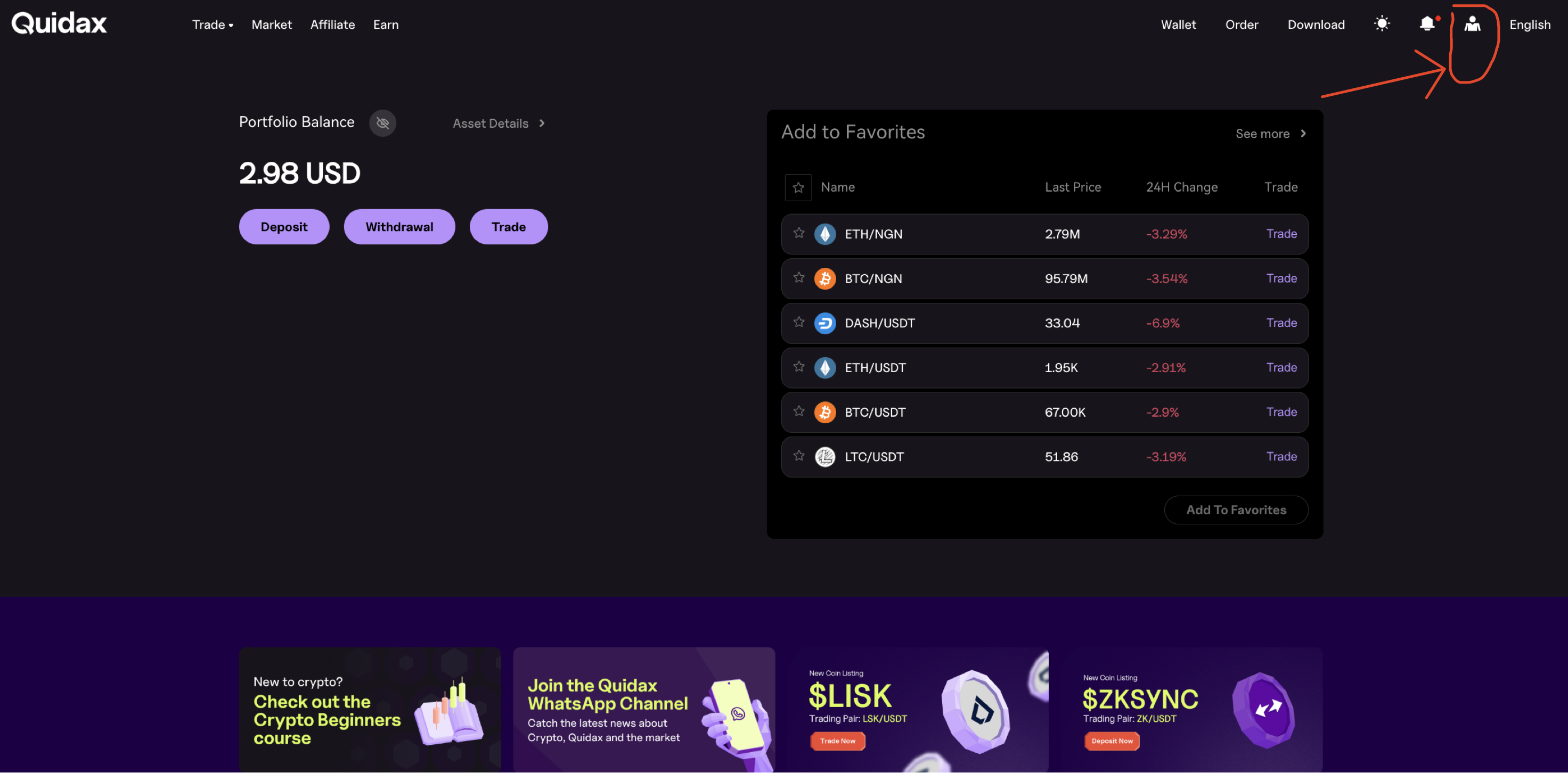
Log in to your merchant account and click on your username in the navigation bar, then click on the user icon
Step 2

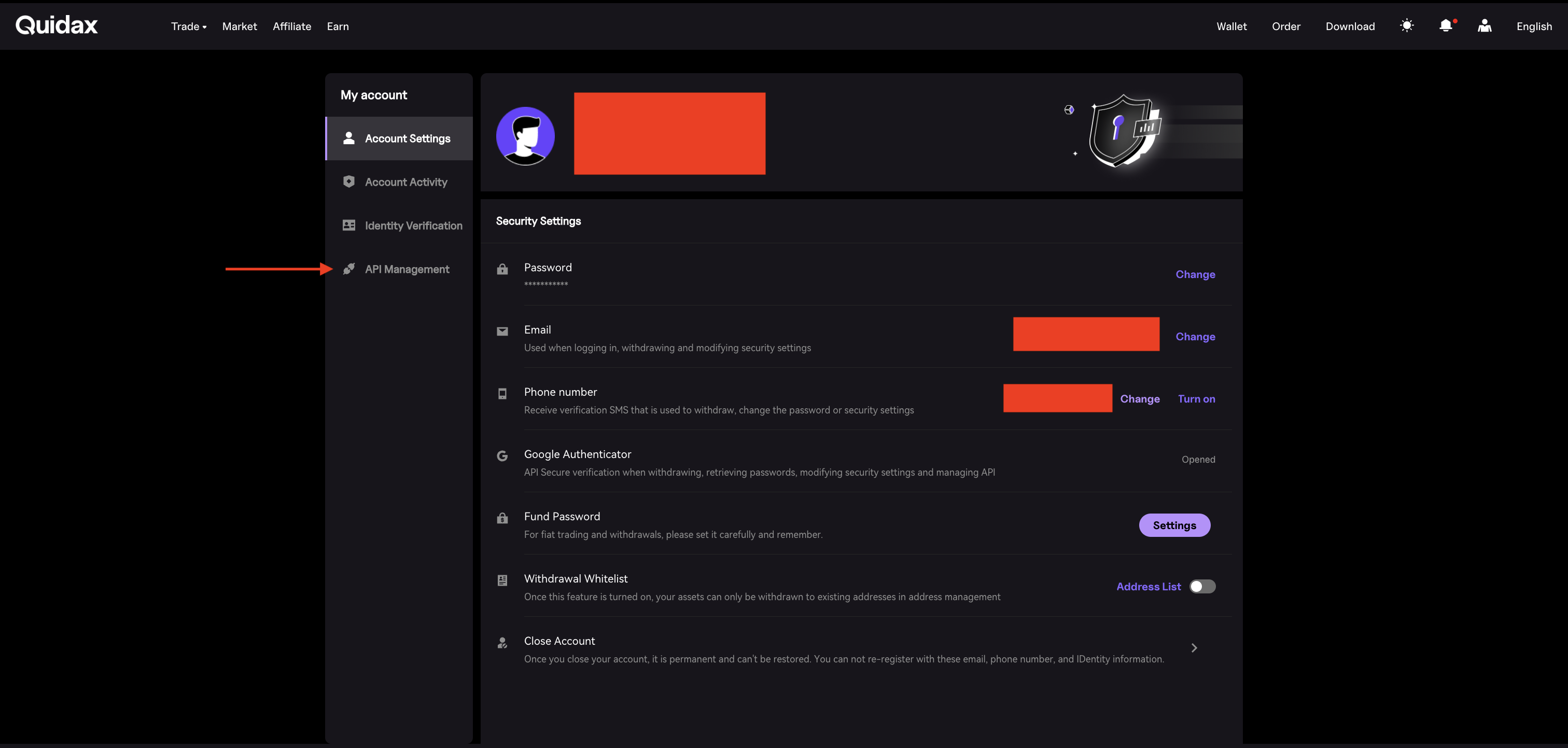
Click on the API management tab.
Step 3

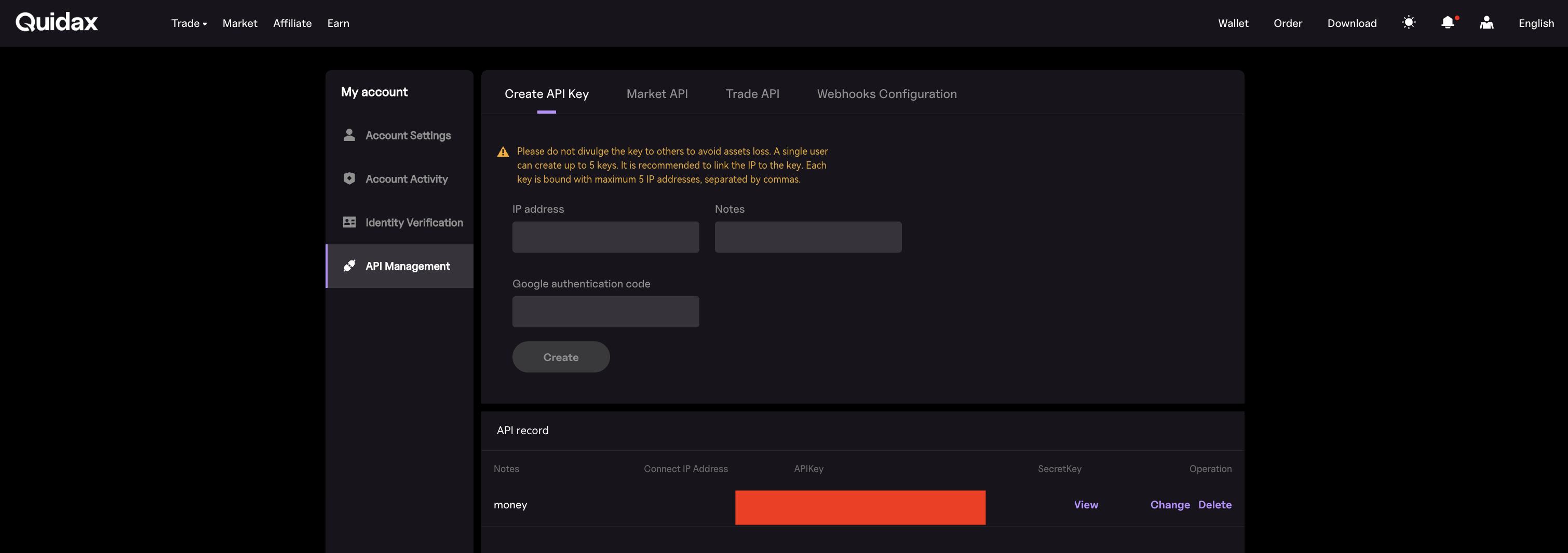
Enter the IP address(optional), your authentication code, and click on Create.
Step 4

Copy the APIKey for authentication

Updated 27 days ago


  • Table of Contents
    • Step 1
    • Step 2
    • Step 3
    • Step 4